
Tempo & pitch, linked · iPhone & iPad
Daycore at 0.75×,
five semitones down.
Nightcore inverted, on files you already have — the key falling with the tempo, and no room added to hide behind.
Free to use. Pro is one payment — forever.
- what the tempo control reaches
- the fine step, on by default
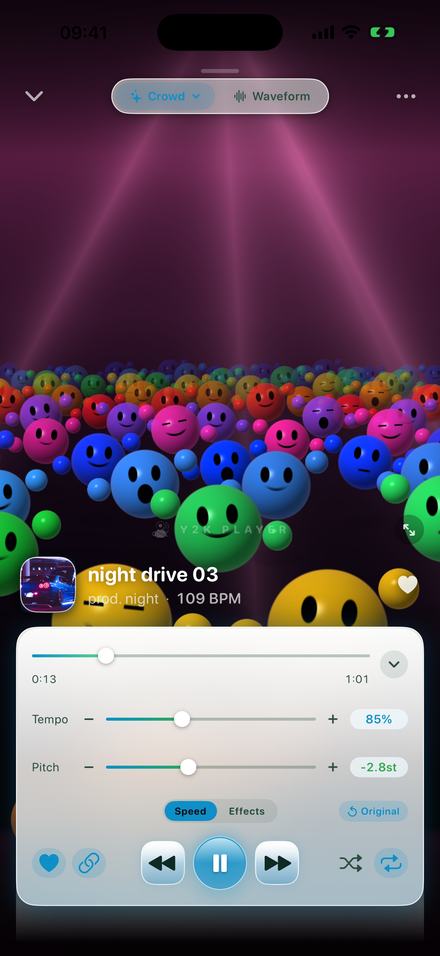
Daycore is one dial, turned the other way
Nightcore pushes the tempo and the key up together. Daycore pulls the same two down together. There is no second mechanism to learn, only a change of sign.
On a record player this was never two decisions. Slowing the platter lowers every frequency on the disc by the same ratio, so tempo and key fall as one thing. Daycore is that, done on purpose: a song taken to somewhere around 0.70× to 0.80×, until the singer stops sounding like themselves and starts sounding like a lower, heavier person giving the same performance.
In Y2K Player that behaviour is a chain button beside the transport, and it is on the moment you open the app. With it on, tempo and pitch are two views of one value — drag either slider and the other moves with it. The ratio is fixed at twelve semitones per doubling of speed, so 0.75× lands 5.0 semitones down and 0.72× lands 5.7 down: a fourth or a fifth below the key the song was written in.
What happens if the link is off
You get a slow song in its original key. That is a legitimate thing to want — it is how you learn a part or fit a track to a runtime — but it is not this. The falling voice is the identity of a daycore edit, and the falling voice is the pitch, not the tempo. If the pitch readout still says +0st while the tempo says 75%, the link is off.
How to make one
Under two minutes on a song you already have, and audible the whole way through.
- Add the songTap Add and pick an audio file, or share one into Y2K Player from wherever it lives. A video file works too — the app takes the audio out of it, and your original is copied in rather than altered.
- Check the linkThe chain button beside the transport is what ties pitch to tempo. It is on by default, and daycore needs it on: with it off you get a slow song in its original key.
- Pull the tempo downOn the Speed tab, drag Tempo to the left. 0.75× is the middle of the range and a sensible first stop; the pitch readout falls with it and lands at −5.0 semitones.
- Aim at a tempo, not a percentageThe BPM printed beside the artist counts down as you drag, because it is the detected tempo multiplied by where the slider sits. If you want the edit at 72 BPM, watch that number.
- Leave the Effects tab aloneSlowed and reverb puts the song in a room. Daycore does not. The rack stays switched off, which is also why this edit needs nothing beyond the two sliders.
- Keep it or export itThe setting stays attached to that song, so it simply plays that way from now on. Export writes an M4A or a WAV with the speed and the key rendered into the file.
Where to leave the slider
- 0.90×, −1.8 st. Heavier and later; most people could not name what had changed.
- 0.85×, −2.8 st. The tempo the slowed and reverb preset uses. Dry, with no room added, it reads as a mellow version rather than a different one.
- 0.80×, −3.9 st. The upper edge of daycore. The vocal has clearly moved.
- 0.75×, −5.0 st. The middle of the range, and the sensible first try on any song.
- 0.72×, −5.7 st. Deep. Consonants start to smear on a busy vocal.
- 0.70×, −6.2 st. The bottom of what still sounds like a version of the song.
- 0.50×, −12.0 st. A full octave down.
Daycore and slowed + reverb are not the same edit
They get filed together because both are slow. Only one of them puts the song in a room.
The Slowed + Reverb preset is four values, and three of them are about space: tempo down to 0.85×, the link on, reverb on at a mix of 34, and the stereo widener at 60. What you hear is a recording moved into a hall and spread across a wider stage.
A daycore edit is one value. The tempo comes down and the rack stays empty. Reverb is its own unit in the audio chain, and while it is switched off the signal never passes through a room at all — the mix you get is the mix the record was made with, only lower and later.
That distinction is audible for a specific reason: a reverb tail fills the gap between one syllable and the next, and slowing a song has already made every one of those gaps longer. Put a long room on top of 0.72× and the consonants vanish into the tail. Leaving the rack alone keeps the recording close and dry, which is what makes a daycore edit sound heavy rather than distant.
So it is not which is better, but which sound you want. Far away: add the room — they run from a short Air up to a Cathedral, and the slowed and reverb page covers which to reach for. Close and low: move the tempo and nothing else.
Two sliders, and a tab you never open
Everything a daycore edit needs is on the Speed tab. The Effects tab beside it is where the rooms live.
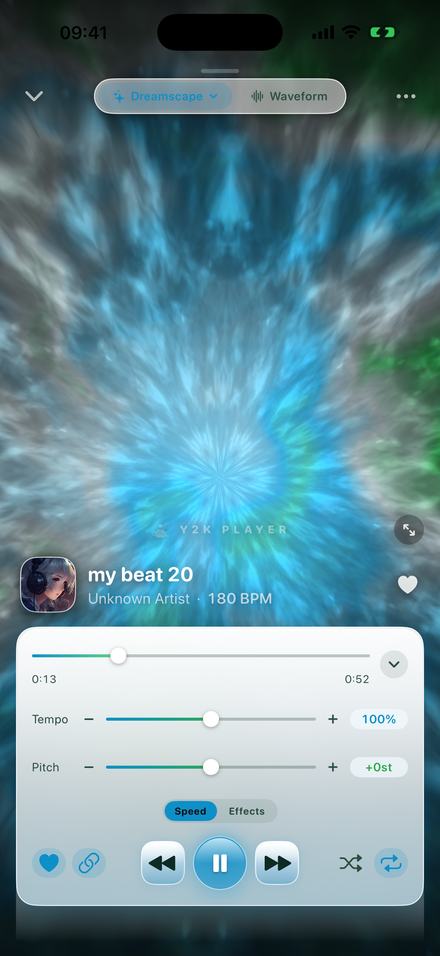
What the app is actually doing at 0.72×
The linked direction is the cheap one, which is why there is no quality setting here to get wrong.
There are two units in the chain that can change how fast a song goes: a resampler and a time-stretcher. With the link on and no separate pitch offset dialled in, the resampler carries the whole change and the time-stretcher is left sitting at 1.0, doing nothing. The app is simply reading the file more slowly. It is the same physical operation as slowing the platter, and it costs nothing in fidelity.
Switch the link off and the work moves to the time-stretcher, which cuts the audio into overlapping grains and spaces them further apart so the key can stay put. That is real processing, and it is where the smeared, underwater quality of a badly slowed song comes from. An unlinked 0.70× sounds processed. A linked 0.70× just sounds low.
Nothing is rendered before you hear it, either way: dragging the tempo moves the song already coming out of the speaker.
Two numbers move with the slider, and both are useful
The tempo printed beside the artist name is live. It is the song's detected tempo multiplied by wherever the slider currently sits, so it counts down as you drag. Pull a 96 BPM track to 0.75× and it reads 72 BPM. If the edit is meant to land at a particular tempo, watch that number rather than the percentage and you get there in one drag.
The clock on the scrubber is in listener time too: the total is how long the song will take at the speed you chose, not how long it took at 100%. A 3:20 track at 0.75× reads 4:27.
On precision: the buttons either side of each slider step in 5% and a whole semitone. The sliders themselves move in 1% and a quarter of a semitone while Fine control steps is on, which it is by default, so 0.73× is as easy to hit as 0.75×. The tempo slider covers 50% to 150%; the buttons carry it down to 25%.
Worth knowing before you install anything
- The tempo, the pitch and the link between them are free. A daycore edit uses nothing else. Free to use. Pro is one payment — forever.
- The effect rack, reverb included, is what Pro adds, along with full-length audio exports. None of it is required for this sound.
- Every song keeps its own settings. A track left at 0.75× plays that way next week. The Original button puts one song back in a tap.
- Free audio export writes the first 30 seconds as you hear them, which at 0.75× is 22.5 seconds of the original file. Pro writes the whole song.
- There is no MP3 export, because iOS ships no MP3 encoder. M4A and WAV come out instead, and both are accepted anywhere an MP3 is.
- Nothing is uploaded and there is no account. Music that lives inside a streaming service cannot be brought in either — those downloads are locked to their own app. This works on files you own.
Questions about daycore
Answered here, so none of it needs installing to find out.
What is daycore?
Nightcore inverted. The tempo and the key are pulled down together by the same ratio, the way a record drops when the platter slows, so the voice changes character rather than simply arriving later. Same control, opposite direction.
What speed is daycore, and how far does the key fall?
Most of it sits between 0.70× and 0.80×. The relationship is fixed at twelve semitones per doubling of speed, so 0.80× is 3.9 semitones down, 0.75× is 5.0 down and 0.70× is 6.2 down. There is a list further up this page.
Is daycore the same thing as slowed and reverb?
No, and the difference is the room. Slowed and reverb slows the song and then puts it in a large space; the built-in preset switches the reverb on and opens the stereo width as well as moving the tempo. Daycore only moves the tempo. The recording stays as dry as it was mixed.
Does the pitch have to fall with the tempo?
For this sound, yes. The chain button beside the transport is what links them, and it is on by default. Switch it off and the song slows in its original key, which is a useful thing but a different one.
Do I have to pay to make daycore?
No. The tempo slider, the pitch slider and the link between them are free, and a daycore edit uses nothing else. Free to use. Pro is one payment — forever, and what it adds is the effect rack and full-length audio exports.
Can I make daycore out of music from a streaming service?
No. Downloads inside a streaming service are locked to that service's own app and cannot be read by anything else. This works on audio files you own — anything you can put in Files or share into the app.
Does it change my original file?
Never. The audio you bring in is copied into the app's own storage and then only ever read. The tempo, the pitch and the link are stored as settings beside it, and the Original button clears them in one tap.
Where to go next
- Try it in your browserFree in your browser — slow + deep, playing in secondsOpen →
- NightcoreThe same dial pushed the other way, at 1.35×.Open →
- Slowed and reverbFor when you do want a room around it, and which one.Open →
- Slow a song without changing the keyThe link switched off — for practising rather than listening.Open →
- Pitch changerMoving the key on its own, with the tempo left alone.Open →
Try it on something you already own.
Two sliders and the link between them are the whole feature, and you hear every step of it while the song keeps playing. Free to use. Pro is one payment — forever.
Free to download and keep. Pro is a one-time purchase — buy it once and it never renews.