
Apple silicon · macOS 15 and later
It runs on a Mac.
Here is the honest version.
The same app your phone has, in a window on the desktop — and included with the same download, not bought again.
Free to use. Pro is one payment — forever, and it carries across your devices.
- Same downloadone app, all your Apple devices
- Your own filesstraight off the Mac’s disk
- Nothing uploadsit works with the wifi off
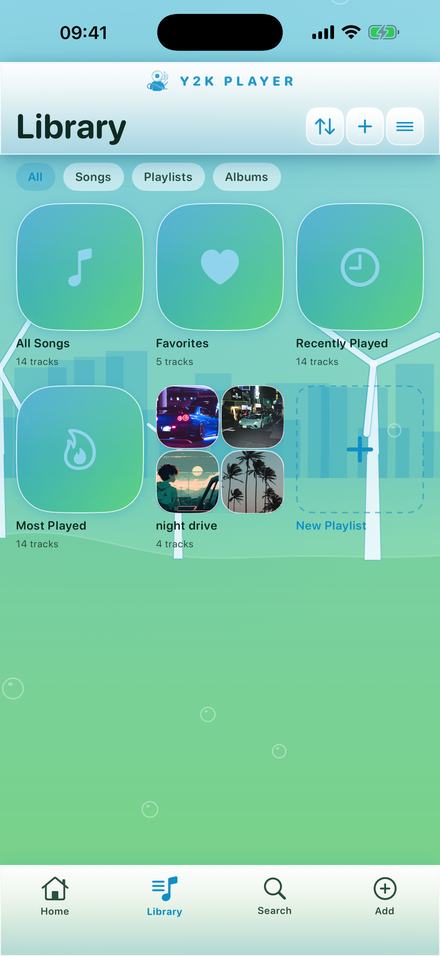
What “runs on a Mac” actually means here
There are three different things that sentence can mean, and only one of them is true of this app.
Apple silicon Macs can run iPhone and iPad apps directly. That is what happens here: the app you install on a Mac is the iPad app, running natively on the M-series chip, in a window. It is not a rewritten desktop version, and there is not a separate Mac app to buy.
So the honest description is: everything the app does, it does on a Mac — the same tempo and pitch control, the same effects, the same themes, the same visualizers, the same export. What differs is the frame around it. It behaves like the iPad app because it is the iPad app.
What that gets you
- One purchase. Pro is tied to your Apple Account, so buying it once covers the phone, the iPad and the Mac. There is no desktop upgrade.
- Your real file system. Adding music means pointing at files on the Mac — a folder of stems, an external drive, a download that never made it to the phone.
- A bigger waveform. Trimming and setting a loop is easier with a trackpad and a long window than with a thumb.
What it does not do
- It is not a menu bar app, and it does not put controls in the Mac’s own menus.
- It is a touch layout. The controls are sized for fingers, so a trackpad works but the interface was not drawn for a cursor.
- Intel Macs cannot run it. This is a platform boundary, not a decision here — iPhone and iPad apps only run on Apple silicon.
What you need
- A Mac with Apple silicon. Any M-series chip.
- macOS 15 or later.
- Audio files you own. The app plays what is on your disk. It is not a streaming service and it cannot import from one — protected downloads cannot leave the app that made them, on any platform.
The part that is genuinely better on a Mac
Not the sound — that is identical. The part before and after the sound.
Music that lives on a computer tends to live in a mess: a folder of things bounced out of a session, an album someone sent as a zip, a drive of recordings, a download that never made it onto a phone because getting it there was more trouble than it was worth. On a phone, every one of those is a small chore. On a Mac they are already sitting there, and adding them is pointing at a folder.
The same is true going the other way. An export lands in a folder the Finder can open, which means the file you just made is one drag from wherever it was going — an editing timeline, an upload box, a message. On a phone that trip usually involves a share sheet and some guessing.
Where the touch layout stops mattering
Two of the things this app asks you to do are dragging: moving the tempo, and setting the ends of a loop on the waveform. Both are easier with a trackpad and a wide window than with a thumb on a phone, because you can see more of the waveform and land more precisely on it. The controls are still finger-sized, which looks slightly large on a desktop — but large targets are not a problem when you are aiming with a cursor.
And where it does
Anything that expects a desktop app will be missing. There are no menu bar items, no keyboard shortcuts beyond what the system provides, no drag-and-drop from the Finder onto the window. If you want a music tool that feels like a Mac application, this is not pretending to be one. What it is, precisely, is the phone app on a bigger screen with your real files behind it — and for a lot of people that is the version they wanted.
One app across the devices
Because it is a single app rather than a desktop edition, there is nothing to reconcile between them. Pro unlocks against your Apple Account, so a purchase made on a phone is already in force on the Mac the first time it opens.
What does not travel is the music. There is no account and no server behind this app, which is the same reason it works with the wifi off — so a song you added on your phone is on your phone, and a song you added on the Mac is on the Mac. That is the trade: nothing syncs, and equally nothing is uploaded, scanned or held anywhere you cannot reach. If you want the same track in both places, it is a file, and you move it the way you move files.
Doing it
The same few minutes it takes on a phone, with a keyboard in front of you.
- Check the MacIt needs Apple silicon — an M-series chip — and macOS 15 or later. An Intel Mac cannot run iPhone and iPad apps at all, and no version of this app will change that.
- Get it from the App StoreSearch the Mac App Store and look under the iPhone & iPad Apps tab. It is the same listing and the same purchase as the phone version.
- Add your filesUse Add and pick audio from anywhere on the Mac — the Desktop, a Downloads folder, an external drive. Whole folders work, and so does a video file, which the app takes the audio out of.
- Move the tempoDrag Tempo while the song plays. You hear the change on the track that is already going, so you never render something to find out how it sounds.
- Keep it or export itLeave it as a setting the song remembers, or export an audio file or a video and it lands in the Mac’s file system like anything else.
Questions about running it on a Mac
The ones worth answering before you install anything.
Is there a separate Mac app?
No. What installs on a Mac is the iPhone and iPad app running natively on Apple silicon. That is why there is nothing extra to buy and nothing to keep in sync — it is one app and one purchase.
Will it run on an Intel Mac?
No, and this is not something the app can fix. Only Macs with Apple silicon can run iPhone and iPad apps at all. On an Intel Mac the listing will not offer it.
If I bought Pro on my phone, do I have to buy it again?
No. Pro is a one-time purchase attached to your Apple Account, so it is already unlocked anywhere you sign in with the same account.
Can it slow down songs from a streaming subscription?
No, and no app on any platform can. Those downloads are protected and cannot be opened by another app. What works is audio you own as a file — something you bought, something you were sent, or something you recorded.
Where do exported files go?
Into the app’s own folder, which the Mac’s file system can reach like any other — so an export can be dragged straight into whatever you were going to put it in.
Does it need an internet connection?
No. Everything happens on the machine, which is the same on a Mac as it is on a phone. There is no account, no sync and nothing uploaded.
Is it the same app as the one on my phone, or a cut-down version?
The same one, feature for feature. The tempo and pitch control, the effect rack, the themes, the visualizers, the loop and trim, the audio and video export — all of it is there, because there is only one app. Nothing was removed to make a desktop version, because there is no desktop version to remove things from.
Can I drag a file from the Finder straight onto the window?
No. Adding music goes through the app’s own Add button and the file picker, which can reach anywhere on the Mac including external drives. It is one extra step compared with a native Mac app, and it is the honest limit of running an iPad app on a desktop.
Does it show up in the Mac App Store search?
It is listed under the iPhone & iPad Apps tab of the results rather than with Mac apps, which is where every app of this kind appears. If the tab is not showing, the Mac is an Intel one and cannot run these apps at all.
Will the window resize?
It behaves the way iPad apps behave on a Mac: a window you can move and resize within the shapes the iPad layout supports, rather than a freely resizable desktop window. The landscape layout is the one worth using on a large screen — it is what the visualizers were drawn for.
Where to go next
- Slowed and reverbThe sound most people come here for, and the room behind it.Open →
- Working offlineWhy there is no account and nothing to sign in to.Open →
- What Pro addsOne payment, and it covers every device on your account.Open →
- VisualizersDrawn live from the audio, and worth a big screen.Open →
- Can You Slow Down or Add Reverb to StreaStreaming and ownership · iPhone & iPadOpen →
The same app, on the bigger screen.
Free to use. Pro is one payment — forever, and it already covers every device on your Apple Account.
Free to download and keep. Pro is a one-time purchase — buy it once and it never renews.