
Five-band EQ · iPhone & iPad
Bass boost that lifts
the low end, not the mud.
Not a loudness switch — a real equaliser, heard while the song plays and remembered for that song afterwards.
The EQ is part of Pro. Pro is a one-time purchase that never renews.
- A low shelflifts the bottom, not the middle
- Five bandsshape the rest of it too
- Liveyou hear it as you drag
What a bass boost actually is, and what it is not
A bass boost is an equaliser turning up a band of low frequencies. Most apps that advertise one are either turning up the whole song or adding distortion low down and calling the result bass.
The difference that matters is shelf versus bell. A bell lifts a narrow band around one frequency and leaves everything either side of it alone. Point a big bell at 80 Hz and you get a boomy honk: one note in the bassline is suddenly much louder than the notes around it, and everything below it — the sub, the room, the kick’s weight — is untouched.
A shelf lifts everything below its corner frequency by the same amount. That is what a tone control does, and it is what actually reads as more bass. The bottom band here is a low shelf at 80 Hz for exactly that reason, and the top band is a high shelf at 10 kHz for the same reason in reverse: a +12 dB bell up there is a ringing, not air.
The three bands in between are bells, deliberately wide — 1.3 octaves — because they are for shaping tone, not for surgery on a single note.
The five bands, and what each one is holding
| Band | Type | What lives there |
|---|---|---|
| 80 Hz | Low shelf | Sub-bass, the body of a kick drum, the weight of a bass line. This is the bass boost. |
| 250 Hz | Bell | The warmth — and the mud. Lift it a little for fullness; too much and everything sounds boxed in. |
| 1 kHz | Bell | The middle of a vocal, the body of a guitar. Cut here to push a mix backwards. |
| 3.5 kHz | Bell | Presence and intelligibility. Where words become words. Also where harshness lives. |
| 10 kHz | High shelf | Air, cymbals, the sense of a recording being open rather than closed. |
The curves that come with it
Five preset chips write straight into the faders, and each one is a real set of numbers rather than a mood.
| Curve | Shape | For |
|---|---|---|
| Flat | 0 / 0 / 0 / 0 / 0 | The reset. Also the honest A/B against whatever you just dialled in. |
| Bass | +6 / +4 / 0 / 0 / +1 | The bass boost. Weight and warmth, with the mids left alone so nothing gets buried. |
| V-Shape | +5 / +2 / −2 / +2 / +5 | Loud and scooped — the club sound. Great on a phone speaker, tiring on headphones. |
| Vocal | −2 / 0 / +3 / +4 / 0 | Pushes the singer forward. Useful on a muddy recording or a live bootleg. |
| Air | 0 / −1 / 0 / +2 / +6 | Opens the top without touching the low end. Flattering on acoustic material. |
Every one of them is a starting point. The chip writes the numbers and then the faders are yours — tapping Bass and then pulling 250 Hz back to zero is a completely reasonable thing to do, and it is what most people end up with on a mix that is already warm.
How to set it
Under a minute, on a song that is already playing.
- Play the songAnything already in your library. The EQ works on playback, so there is nothing to render and nothing to wait for.
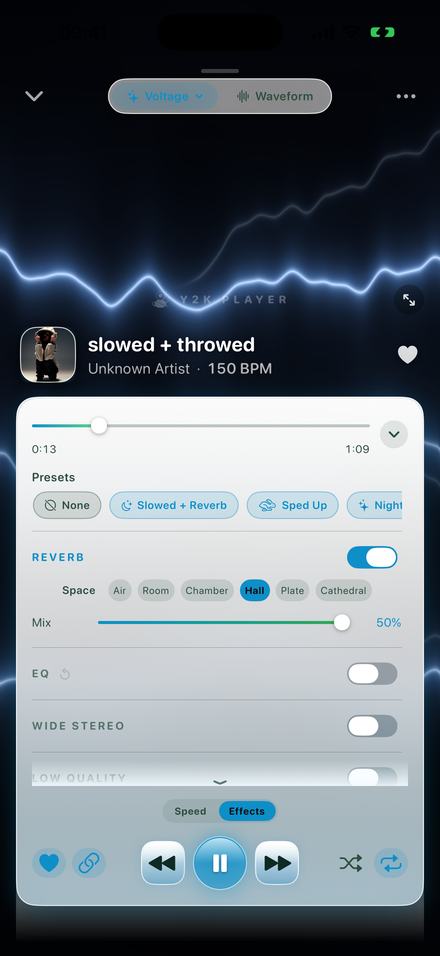
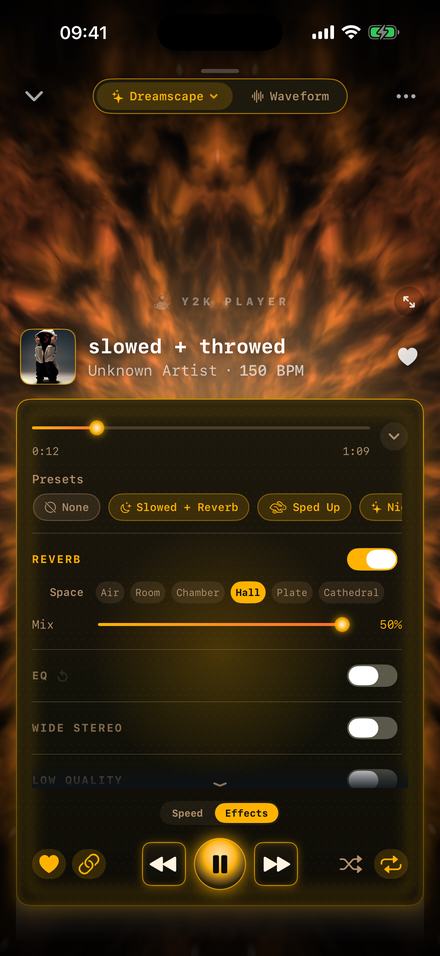
- Open the Effects tabUnder the transport controls, next to Speed. The rack scrolls; EQ is the second group, under Reverb.
- Switch the EQ onThe group toggles independently of the others, and every fader keeps its position while the group is off, so you can A/B the whole EQ with one tap.
- Tap the Bass curveThe preset chips write straight into the five faders. Bass sets +6 dB at 80 Hz, +4 at 250 Hz, nothing in the middle and +1 at the top.
- Adjust by earDrag the 80 Hz fader. It runs from −12 to +12 dB in one-decibel steps, and the label swaps from the frequency to the live gain while you move it.
- Leave itThe curve is stored with that song and applied every time it plays, and it is rendered into any file you export.
It stays where you put it
The reason to boost the bass inside the player rather than in a rendering tool is that the player is where you listen.
Per song, not per session
The curve is stored with the track, so a bass-light recording is permanently fixed and everything else in the library is untouched. There is no global equaliser to remember to turn off before the next song.
Each group in the rack toggles on its own and keeps its dialled values while it is off, so comparing with and without is a single tap rather than a re-dial.
Whatever you hear is what gets exported. The EQ is rendered into M4A, WAV and video exports through the same engine that was playing it, so nothing sounds different once it leaves the app.
The rest of the rack, since you are in there
The EQ is one of eight groups, and the others are worth knowing about because they are on the same screen.
- Reverb — six rooms from a 0.35-second Air to a Cathedral, with a mix that stops at 50%. The slowed and reverb page goes through all of them.
- Wide Stereo — pushes the sides of the mix outwards. A little of this under a bass boost stops the low end from sounding like it is coming out of one point.
- Distortion — drive and mix. Grit rather than fuzz.
- Low Quality — a deliberate bandwidth ceiling and codec swirl. The sound of a file that has been re-uploaded too many times.
- Bitcrusher — bit depth and sample rate reduction, for the eight-bit end of lo-fi.
- Flanger — a swept short delay. The jet sound.
- Grain Delay — granular echo whose repeats scatter and re-pitch.
- Chop — beat-locked repeats, rewinds and stutters, tied to the detected tempo so they land on the grid rather than wherever they felt like.
Honestly
- The EQ is part of Pro. Speed and pitch are free; the effect rack is what the one-off payment buys. There is no trial on the rack — the three-day window covers themes and visualizers, not effects.
- An EQ cannot add bass that was never recorded. If the file has nothing below 60 Hz, turning up 80 Hz makes what is there louder and no more.
- Your headphones set the ceiling. A +6 dB shelf on earbuds that cannot move air below 100 Hz mostly produces distortion, not weight.
- Big boosts eat headroom. If a loud master starts sounding crunchy after a boost, pull the other bands down rather than pushing the bass further up.
- It is not a volume booster. This shapes tone; it does not raise the system volume past its limit.
Questions about the EQ
Short answers, with the real numbers in them.
Is this a real equaliser or a volume trick?
A real one. Five bands at 80 Hz, 250 Hz, 1 kHz, 3.5 kHz and 10 kHz, each adjustable from −12 to +12 dB. The edge bands are shelves and the three in the middle are bells about 1.3 octaves wide.
How much bass boost does the Bass preset apply?
+6 dB at 80 Hz, +4 dB at 250 Hz, nothing at 1 kHz or 3.5 kHz, and +1 dB at 10 kHz.
Why is the bottom band a shelf and not a bell?
Because a big bell at 80 Hz boosts one narrow band and leaves the sub below it alone, which sounds like a honk rather than like weight. A shelf lifts everything below its corner, which is what a tone control does and what people actually mean by more bass.
Does it apply to every song or just one?
Just the song you set it on. The curve is stored with that track and nothing else in the library changes.
Will the boost be in the exported file?
Yes. Exports are rendered through the same engine you were listening to, so the EQ is baked into M4A, WAV and video files.
Can I use it with a slowed or sped up version?
Yes — the speed, the pitch and the whole rack stack on the same song at once.
Is the EQ free?
No. Tempo and pitch are free; the effect rack including the EQ is part of Pro, which is a one-time purchase that never renews.
Can I make my own curve and keep it?
Yes. Move the faders yourself and the shape stays with that song. The preset chips are starting points, not modes you are locked into.
Does it work with headphones and speakers?
It works on whatever the phone is outputting to. What you actually hear depends on the hardware — small earbuds cannot reproduce a deep shelf no matter what the fader says.
Does it need an internet connection?
No. Everything runs on the device.
Where to go next
- Slowed and reverbThe other half of the rack, and the six rooms it offers.Open →
- Sped up songsWhat the speed slider does, and where the key lands.Open →
- Offline playerNo account, no ads, and nothing transmitted anywhere.Open →
- Pro — one paymentWhat the rack costs, once, and what stays free.Open →
- Equalizer for iPhoneTone control · iPhone & iPadOpen →
Weight where the song forgot to put it.
The player is free to download and keep. Pro is a single payment for the effect rack and full-length exports.
Free to download and keep. Pro is a one-time purchase — buy it once and it never renews.