
Full screen · iPhone & iPad
Turn it sideways.
Then clear the screen.
Landscape here is a layout of its own, not a stretched portrait one — and one tap takes the rest of the screen away, down to the scene, a scrubber and a pause button.
Free to use. Pro is one payment — forever.
- Landscapea layout, not a stretch
- One tapdown to the scene
- Up to 120 fpson panels that offer it
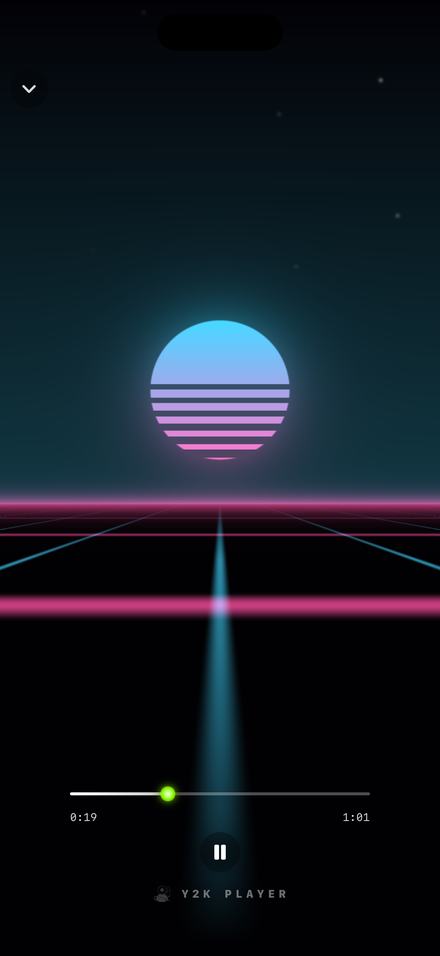
Sideways is somewhere the player goes, not the whole app
On an iPhone the player rotates and nothing else does. That is a decision rather than an oversight, and it is worth knowing before you turn the phone over and wonder why the library stayed put.
Shelves, search, settings and the tab bar all stay upright. A tab bar laid on its side is a worse version of itself, and a screen designed as a tall column does not become a landscape design merely by being allowed to rotate into one. The player is the exception because the player is a stage: one song, one scene, and controls that can go wherever the width puts them.
Leaving the player while the phone is on its side snaps the interface upright on the way out, so you are never handed a portrait screen lying down. iPads and Macs rotate everywhere, because those layouts were drawn for both shapes.
What the extra width is actually spent on
Turn the phone with the controls still up and the screen becomes two regions. The scene takes the left and runs off the left, top and bottom edges of the display. Everything you operate gathers into one column against the right edge: the scrubber and its two times, the transport, the tempo and pitch sliders, and a Speed and Effects switch, because a phone on its side has nowhere near the height to show both racks at once.
The scene in that left region is not the portrait scene hiding behind a panel. It is drawn into the region you can see, which means the middle of a look lands in the middle of the space it has. That reads as a detail until you watch something built around a centre — a tunnel mouth, a sun on a horizon — with its centre parked underneath a slab of buttons.
An iPad spends the width differently again: the column is wider, the two racks stop taking turns and share one scrolling column, and quick tiles and a volume and output row sit underneath. The waveform page rotates as well, but the full-screen control is not offered there — behind a waveform there is no scene to clear the screen for.
Getting to the scene and nothing else
None of this is a setting. All of it happens on the scene itself.
- Open a song in the playerTap a track. The player opens on the visualizer, already moving with the audio, with the controls floating over it.
- Turn the phoneThe player rotates; the rest of the app deliberately does not. The scene takes the left of the screen and everything you operate collects into one column on the right.
- Tap the sceneThe controls, the title and the status bar all fade out and the look runs edge to edge. Held upright there is also a small expand button on the row carrying the wordmark, which does the same thing.
- Use what is leftDrag the scrubber to move through the song and press the single play and pause button. Both times stay on screen while you do it.
- Come back wheneverThe chevron in the top-left corner brings the controls back, and so does another tap on the scene. Leaving the player stands the phone back up.
What is left once everything goes
Full screen is not the same screen with bigger margins. It is a separate state, deliberately close to empty:
- A small chevron in the top-left corner. The way back, and the one control that never moves.
- A scrubber carrying both times. Drag it and the song moves, so you never leave the scene to change position. The two figures are the ones you are hearing: slow the track down and the total on the right grows to match.
- One play and pause button. Nothing else from the transport comes along.
- The wordmark, low and faint. It stays for everybody, on both tiers, because a scene filmed off somebody’s screen should carry the name of the thing that drew it.
- No status bar. The clock, the battery and the signal go with the rest of it.
Tap the scene again and it all comes back. The swipe-down that closes the player everywhere else is switched off while the chrome is hidden, on purpose: a downward drag across a full-screen scene should not fling you out of the player altogether.
A wide frame shows more scene, not a stretched one
Every look is handed the shape of the frame it is drawing into, on every frame, and none of them are pictures being scaled, so nothing stretches. The question is what a scene does with a shape it was not in a second ago, and the catalogue answers it two ways.
Most looks measure themselves against the height of the frame and sit dead centre. Hyperdrive, Freefall and Swell work like that, and for them turning the phone is the generous version: the middle stays where it was and the new width brings in what had been sitting just past the left and right edges. The tunnel gets wider, not longer.
The horizon looks measure themselves against the width instead, so their proportions are pinned to it. Nightdrive is the clearest case. Held upright, its striped sun is small and there is a lot of sky above it and a lot of road below. Turned sideways the scene keeps those proportions and the frame crops in vertically, so the sun grows and the grid runs the full width of the display — which, given what a horizon is for, is the right way round.
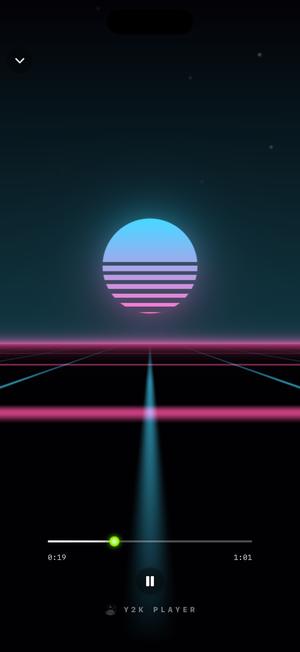
Nightdrive 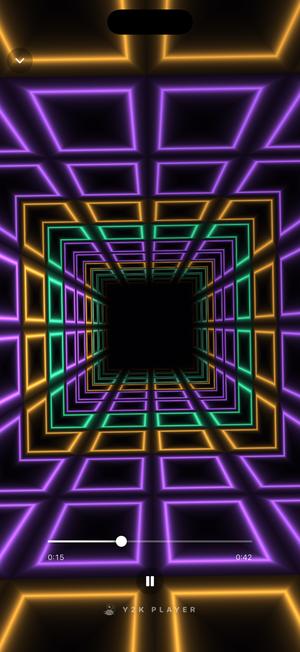
Hyperdrive 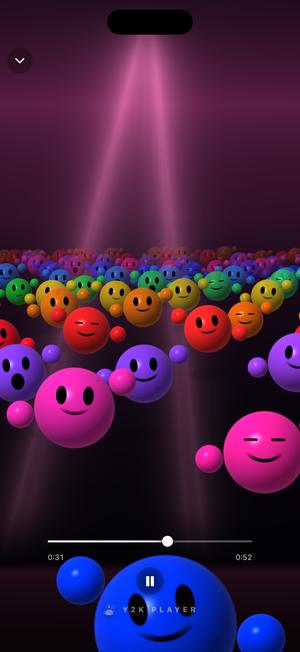
Crowd 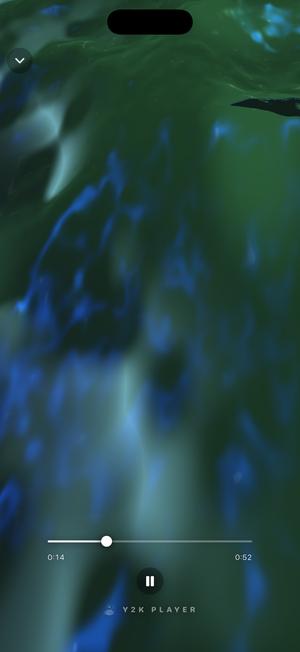
Swell
Every picture on this page is the state being described: the chevron, the scrubber, the pause button, and nothing else.
Leaving it running
A propped-up phone will normally dim and lock partway through the second song, which is a poor ending for a light you set up on a table. Keep the screen awake in the player lives in the advanced corner of Settings and stops exactly that — only inside the player, and only while you are in it.
The other switch there is Visualizer battery saver, which holds the scene to thirty frames a second and draws it leaner. Low Power Mode does the same without being asked. Left alone, a light look takes whatever rate the panel can give it, up to 120 on the screens that go that high, while the expensive scenes settle at sixty on purpose: an even sixty looks better than a torn attempt at more.
Two more things happen without you. A big canvas — an iPad on its side, a Mac window — is drawn at fewer pixels and scaled up, because glow survives that invisibly and a dropped frame does not. And for its first second a scene runs deliberately modest, so the heaviest drawing in the app never lands on top of the app opening.
Lock the phone, or leave for another app, and the drawing stops completely along with the audio analysis feeding it. The music carries on.
Before you turn it sideways
- The library does not rotate on iPhone. Only the player does. That is the trade for a landscape layout that was designed rather than permitted.
- The wordmark stays in full screen. Small, faint, bottom centre, on both tiers.
- Record it and the free tier adds a mark. Start a screen recording or mirror the display without Pro and the app’s badge sits near the top-right corner for as long as the capture runs.
- The scene is not in the video export. An exported video shows your artwork instead — a different feature with a different job.
- Some looks are part of Pro. Dreamscape, Spectra, Daybreak and Still are free and stay free; the rest open a three-day window the first time you use one, announced when it starts rather than after it ends.
- It needs a song you already have. There is nothing to connect and nothing to stream — the scene is drawn from a file on your device.
Questions about full screen and landscape
The ones people ask with the phone already in their hand.
How do I make the visualizer full screen on iPhone?
Tap the scene. The controls, the song title and the status bar fade out together and the look runs edge to edge. Held upright there is also a small expand button on the row carrying the wordmark, which does the same thing without a tap on the artwork.
Does Y2K Player work in landscape?
The player does, on every one of its pages. The library, search and settings stay portrait on iPhone by design. On iPad and on a Mac everything rotates, because those layouts were built for both shapes.
Why will my library not turn sideways?
Because a landscape home screen was never designed, and rotating a tall column into a wide frame produces a broken version of it rather than a wide one. The player is the surface that earns a second layout, so the player is the one that has it.
Can I still move through the song in full screen?
Yes. A scrubber stays on screen with the elapsed and total times beside it, and you can drag it. A single play and pause button sits under it. Nothing else from the controls comes along.
How do I get out of full screen?
The chevron in the top-left corner, or another tap on the scene. The swipe-down that closes the player is deliberately switched off while the chrome is hidden, so a downward drag cannot throw you out of the player by accident.
Does the scene get stretched when I rotate the phone?
No. Nothing on screen is an image being scaled — each look is drawn into the frame it has, and is told that frame’s shape on every frame. Centre-built looks like Hyperdrive gain width at the sides; horizon looks like Nightdrive keep their proportions and crop in from the top and bottom instead.
Will the screen turn itself off while I watch?
Not if you would rather it did not. Keep the screen awake in the player in Settings holds the display on, and only while the player is open — leave the player and the phone goes back to its normal behaviour.
Does a full-screen visualizer drain the battery?
It is real-time graphics, so it costs more than a still screen. Visualizer battery saver in Settings holds it to thirty frames a second and draws it leaner, and Low Power Mode does the same on its own. Locking the phone stops the drawing entirely while the music keeps playing.
Does this work on iPad?
Yes, and the width is spent differently: a wider control column, both control racks visible at once instead of taking turns, and quick tiles with a volume and output row beneath them.
Can I screen record the full-screen visualizer?
Yes. Without Pro, the app’s badge appears near the top-right corner while the display is being recorded or mirrored, so a reposted clip carries the name of the app that drew the scene. With Pro it does not appear.
Is the full-screen visualizer in the exported video?
No. A video export puts your own artwork on screen and writes your version of the song underneath it. The scenes run live while you listen; they are not filmed into a file.
Does full screen cost anything?
No — it is how the player works rather than something behind a wall, and the free looks run full screen exactly like the rest. Free to use. Pro is one payment — forever.
Prop it up and turn it over.
Nothing here needs a connection and nothing needs signing up for. Bring a file you already own and give it the whole screen.
Free to download and keep. Pro is a one-time purchase — buy it once and it never renews.