
Audio out of video · iPhone & iPad
Get the audio
out of a video.
The sound is already a separate track inside that file. Getting it out is a copy job, not a conversion — and on an iPhone it can happen without anything being uploaded.
Free to use. Pro is one payment — forever.
- mp4 · mov · m4vand mpg, mpeg, avi, webm
- Out as .m4aAAC, written on the device
- No uploadthere is no server to send it to
What extracting the audio actually is
A video file is not a picture with sound painted onto it. It is a box holding two separate streams, and one of them is already an audio file in everything but name.
Open any mp4 or mov and you find a container with at least two tracks inside it: the picture, and the sound, sitting side by side with timing information so a player can run them together. The audio in there was encoded once, when the video was made, usually as AAC. Getting it out is not a conversion from video into music. It is lifting out a stream that was always audio and giving it a file of its own.
That settles the only question that matters technically: how much quality the job costs you. There are two ways it can be done.
Copy the stream out. The audio bytes are moved into a new container without ever being decoded — a remux. The result is identical to the sound in the video, sample for sample, and it finishes in a second or two no matter how long the clip is. On a computer that is one line: ffmpeg -i clip.mp4 -vn -c:a copy clip.m4a.
Decode it and encode it again. The audio is unpacked into raw samples and written back out as a new AAC or MP3 file. Those formats discard information by design, so doing it to a track that is already lossy is a second generation of loss. One generation at a sensible bitrate is very hard to hear on a phone. Four of them, stacked up by running a file through a chain of tools, is not.
And one thing that catches everyone: the extracted audio is exactly as long as the video was, including the eight seconds of nothing at the front and the talking at the end. Expect to trim afterwards.
The four ways people do it
They are not equivalent, and the real difference is where your file goes, not what comes back.
A converter website
Upload the video, a server does the work, download an audio file back. It works, and it is the option with the most against it. The file leaves your device and sits on somebody else’s machine for a while, which is a genuine problem for anything private: a lecture, a rehearsal, a voice note, a family video. Free tiers cap the upload size, and phone video is large. And on an iPhone you finish holding a file in Downloads that you still have to get into something that can play it.
A desktop tool
ffmpeg, or one of the interfaces built on top of it. Technically this is the best answer available: a real stream copy with no loss, no upload, and a hundred files done in one command. What it costs is a computer, a terminal, and moving the video off the phone and the audio back onto it.
Recording the sound while it plays
This is the worst option and it is worth being clear about why. It runs in real time, so a forty-minute video takes forty minutes. It picks up notification sounds, levels drift, and it is a full re-encode of a signal that has already been through a speaker. The only reason to reach for it is to get around something that was deliberately locked, and at that point it has stopped being a technical question.
An app that accepts video at the import step
The video is already on the phone, and the audio is going to be listened to on the phone. A player that takes video files at the import step removes the round trip entirely: no upload, no download, no second app in the middle. That is the route the rest of this page describes.
Taking the sound out of a clip, start to finish
About a minute, most of it spent finding the video.
- Open the importerTap the plus in the library and choose Import Video Sound. It opens your photo library filtered to videos only, so nothing else is in the way. Import Songs is the other door: it opens Files, and video files are accepted there too.
- Pick the clip, or severalMultiple selection works. In the Files importer you can pick a whole folder instead and it will be walked. Sharing a clip into Y2K Player from another app arrives through the same import.
- Let it lift the track outThe app opens the file, looks for an audio track and exports that track to an .m4a. Your video is only read — the copy in Photos or Files is left exactly as it was.
- Name itVideo files rarely carry a title, so the track usually arrives named after the file. Long-press it in the library and pick Rename Song; Change Cover is in the same menu if you want artwork on it.
- Cut it downThe audio is as long as the video was. Open the waveform, unlock the Trim button and drag the handles to the part you actually wanted. The trim is saved with the song and nothing on disk is rewritten.
- Keep it, or export itIt is an ordinary track now: playlists, speed, pitch and the visualizers all apply to it. If you need the audio as a file somewhere else, export writes an M4A or a WAV.
What goes wrong, and what to check
Four failures cover nearly all of it, and three are decided by the video rather than by the tool.
The video has no audio track. Screen recordings made with the microphone off are the usual culprit, and so are clips an editor has silenced. There is nothing in the file to take out. Play the video with the volume up before blaming the extractor.
The container is one the phone cannot open. iOS reads mp4, mov and m4v natively, which covers essentially everything a phone camera, a screen recording or a downloaded clip produces. Y2K Player also accepts mpg, mpeg, avi and webm by name and then asks the system to open them — if iOS cannot read the container, there is no audio track to find. Formats like mkv and flv are not accepted at all. A desktop remux into mp4 fixes both cases.
The video is protected. A rented or purchased film, or a download that lives inside another app, is encrypted and tied to the app that made it. No third-party app can read it, and no extractor gets around that.
It worked, and the result is called IMG_4021. Video files usually carry no title and no cover art, so the track arrives named after the file. Long-press it in the library: Rename Song and Change Cover are both in that menu.
What the app does with the file you hand it
- Seven extensions are treated as video — mp4, mov, m4v, mpg, mpeg, avi and webm. Anything else is imported as audio, untouched.
- The audio track is exported to an .m4a, written first to a temporary file and then copied into the app’s own library folder. The output is AAC.
- It is a re-encode, not a stream copy. One generation, done once, on the device. If you need bit-for-bit, that is what a desktop remux is for.
- Your video is only read. The original in Photos or Files is never moved, altered or deleted.
- Nothing is uploaded. No server, no account. The extraction runs on the phone, which is why it works in airplane mode.
- A video with no audio track is left alone rather than turned into a silent, broken entry.
- A whole folder works too. Pick one in the importer and it is walked recursively, taking the audio files and the mp4, mov and m4v clips inside it.
- What arrives is an ordinary song — waveform, detected tempo, artwork if the file carried any, playlists, favourites, search.
Once the sound is out of the video
Extracting is rarely the goal on its own, and a player is a sensible place to be standing for whatever comes next. Trim handles on the waveform cut ten minutes down to the twenty seconds you were after, and the trim is stored with the song rather than written over the file.
Speed runs from 25% to 200%, with the slider covering 50% to 150% and steppers reaching the rest. Pitch moves twelve semitones in either direction. Linked, they behave like a record played at the wrong speed. Unlinked, the speed changes and the key stays where it was, which is what you want for a lesson, a rehearsal or a transcription.
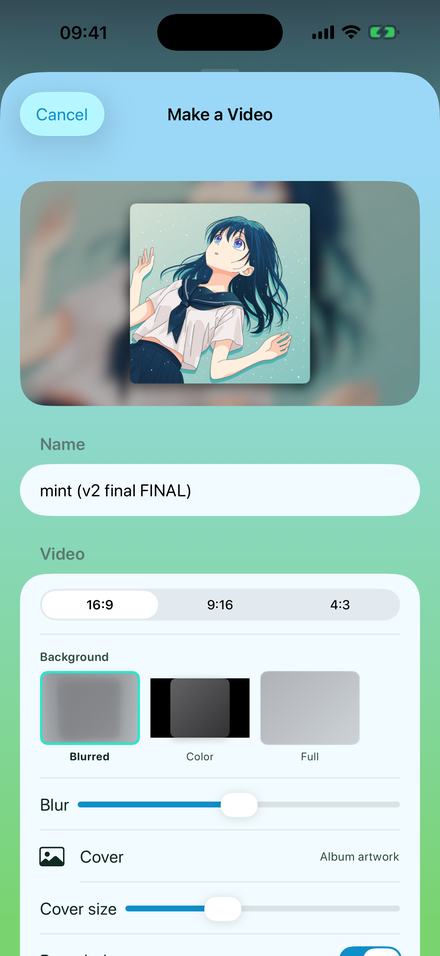
To get a file back out, the export sheet writes an M4A at 128, 256 or 320 kbps, or a 16-bit WAV at the source sample rate. A free audio export writes the first 30 seconds; Pro removes the cap. The reverse trip is one sheet away as well: video export puts a still image or a looping clip under the audio and renders a full-length 1080p MP4, which is the screen at the top of this page. Free to use. Pro is one payment — forever.
Questions about getting audio out of video
Answered here, so you can tell whether this does what you need before installing anything.
Can I get the audio out of a video without a computer?
Yes. Import the video into Y2K Player and the audio track is exported to an .m4a on the device. There is no upload, no converter site and no second app: what lands in the library is a normal track you can play, trim, slow down or export.
Which video formats can it take the audio from?
Files ending in mp4, mov, m4v, mpg, mpeg, avi and webm are treated as video. The first three are the ones iOS decodes natively, and they cover phone recordings, screen recordings and almost every clip you are likely to have. The others are accepted by name and then handed to the system to open — if iOS cannot read that container, there is no audio track to find. Anything not on the list, mkv and flv included, is not accepted.
What file do I end up with?
An .m4a holding AAC audio, sitting in the app’s library alongside your other songs. If you need it as a file somewhere else, the export sheet writes an M4A at 128, 256 or 320 kbps, or a 16-bit WAV at the source sample rate.
Does extracting lose quality?
A little, once. The app decodes the video’s audio track and writes a new AAC file, so it is one re-encode rather than a byte-for-byte copy. At a normal bitrate that is very hard to hear. If you need zero loss, the lossless route is a stream copy on a computer — ffmpeg -i clip.mp4 -vn -c:a copy clip.m4a — and then importing the result.
Is my video changed, moved or deleted?
No. The file is only read. The copy in Photos or Files stays exactly where it was, and the audio the app keeps is a separate file inside its own library folder.
Is anything uploaded?
No. There is no server behind the app and no account to make, so there is nowhere for a file to go. The extraction, and everything after it, runs on the phone — it works in airplane mode.
Can I use a video from a streaming or subscription app?
No. Downloads inside another app are protected and locked to it by design, and no third-party app can read them. This works on files you own outright: your own recordings, purchases, downloads and clips people send you.
Can I do several videos at once?
Yes. The pickers allow multiple selection, and in the Files importer you can pick a whole folder instead — it is walked recursively and the audio files, mp4s, movs and m4vs inside it are all brought in.
Can I keep just one part of the video’s sound?
Yes. The extracted audio is as long as the video was, so open the waveform, unlock the Trim button and drag the handles to the section you wanted. The trim is stored with the song, so nothing is destroyed and you can move it again later.
Why does the track have an odd name and no artwork?
Because most video files carry neither. The title falls back to the filename, which is why a clip from the camera roll arrives as something like IMG_4021, and there is usually no embedded cover to pull. Long-press the track: Rename Song and Change Cover are both there.
Can I put the audio back over a picture and make a video?
Yes, and it is the same app. The video export puts a still image, a GIF or a short looping clip under the audio and renders a full-length 1080p MP4 you can upload. Free videos are full length with a small corner mark; Pro removes it.
What does it cost?
Free to use. Pro is one payment — forever. Importing video sound, playback, speed, pitch and trimming are all in the free app; a free audio export writes the first 30 seconds of a track, and Pro removes that cap.
Where to go next
- Slowed and reverbWhat most people do to a track once it is out of the video.Open →
- Turn it into a videoCover art, blurred background, full length, no editor.Open →
- How to make audios for editsCutting to the hook and getting a clean file back out.Open →
- Offline playerWhy none of this needs a connection: there is no server.Open →
- Which Audio Files Play on an iPhoneFormats & importing · iPhone & iPadOpen →
- Lo-Fi Songs on iPhoneLo-Fi preset · iPhone & iPadOpen →
The clip is already on your phone.
So is the audio inside it. Import the video, keep the sound, and nothing has to leave the device on the way.
Free to download and keep. Pro is a one-time purchase — buy it once and it never renews.